
For flight schools / DTOs
Aircraft,
instructors,
students.
All in one place
Which aircraft is free, is the instructor’s rating still valid, who pays for which training flight? apron:pilot runs your DTO’s day-to-day training operations: bookings with instructors, ratings, logbook and billing of training flights.
Start free and upgrade to Premium when you need to.
Flight schools in practice
What training operations need
Training flights with instructors
Student and instructor in one booking, marked with the flight type Training. The ratings of both are checked.
Ratings at a glance
Instructor rating, medical, class rating or internal check flight: name them freely, assign them and get a reminder before they expire.
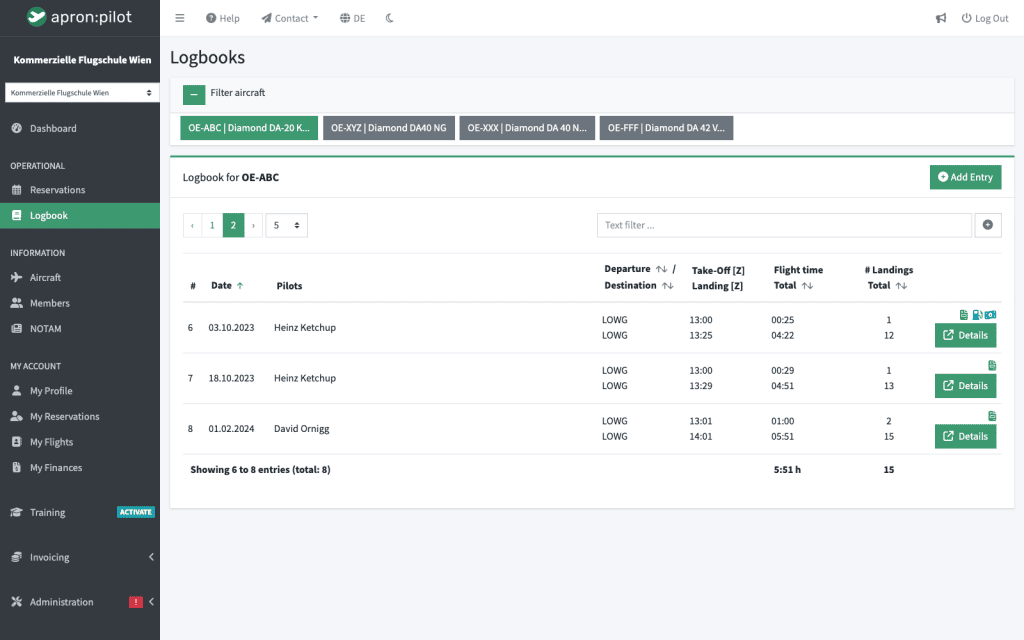
Logbook with flight types
Every training flight with flight type, flight time, landings and meter readings, logged right after landing.
Bill training flights
With invoicing: an invoice to the student with their per-minute rate, and the instructor fee as a separate item.
Many students, many instructors
Students and instructors are users, organised in groups with Premium. No upper limit with Gold.
Training module from 2027
Special training features such as syllabi, digital student files and courses will be added. See the training module
Bookings for training operations
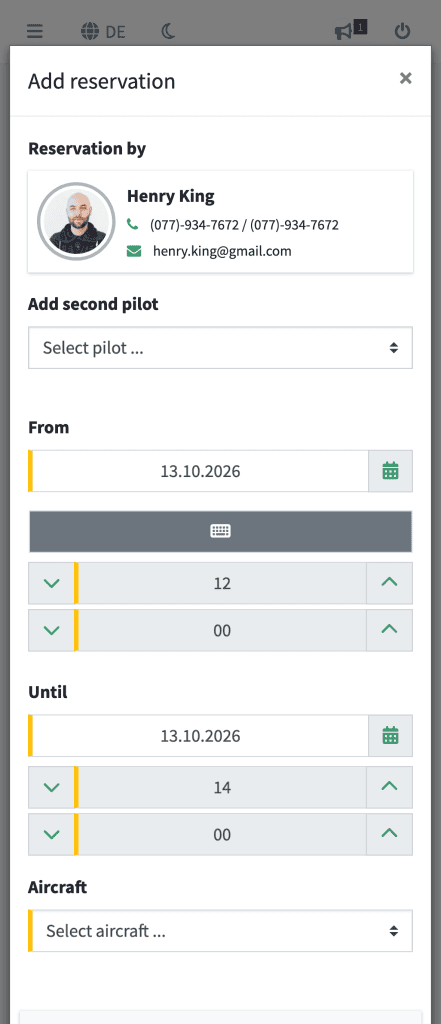
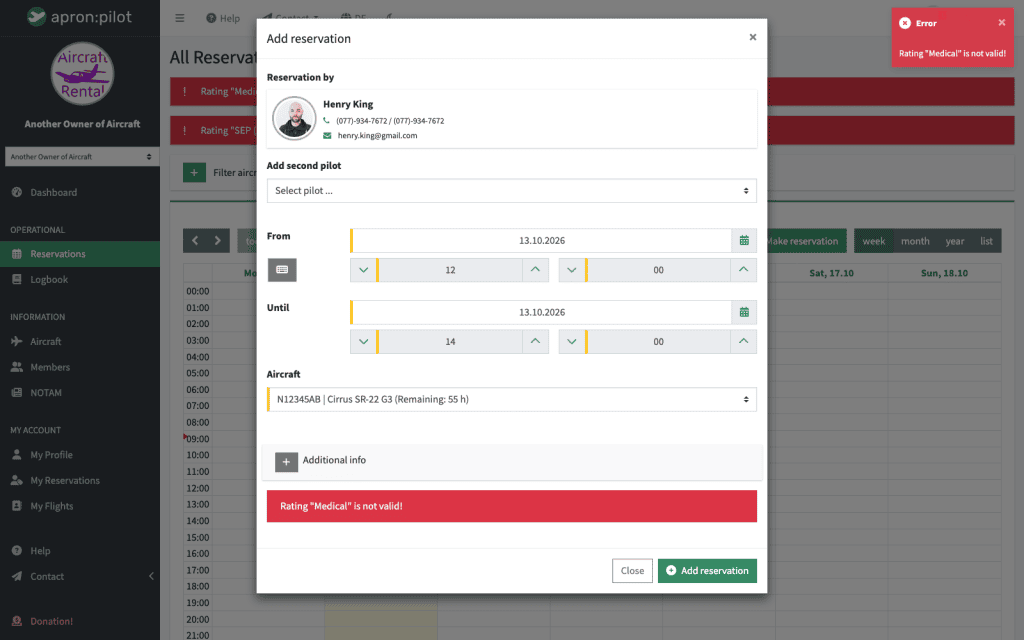
Students book themselves, or administrators and power users plan for them. With the instructor as second pilot and the flight type Training, every training flight is clearly marked. If either of them lacks a rating, no booking is possible.
- Instructor as second pilot in the booking
- Rating check for both pilots
- Flight types such as Training and Check flight, freely definable with Premium
- Booking requests with approval (Premium)
- Email to pilots when administrators change a booking
Ratings of instructors and students
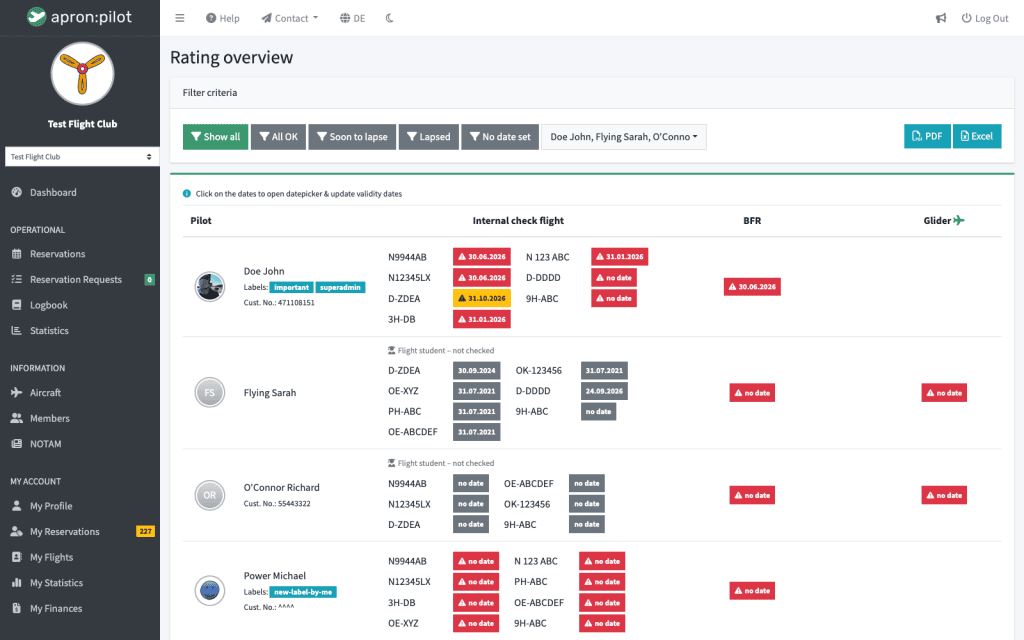
You define which ratings each aircraft requires, from the instructor rating to the internal check flight. Instructors and students get a reminder before they expire, and with Premium you see all validity dates in one overview.
- Name and assign ratings freely
- Reminder before expiry
- Licence overview with PDF export (Premium)
- Pilot self-service with approval (Premium)
Billing training flights
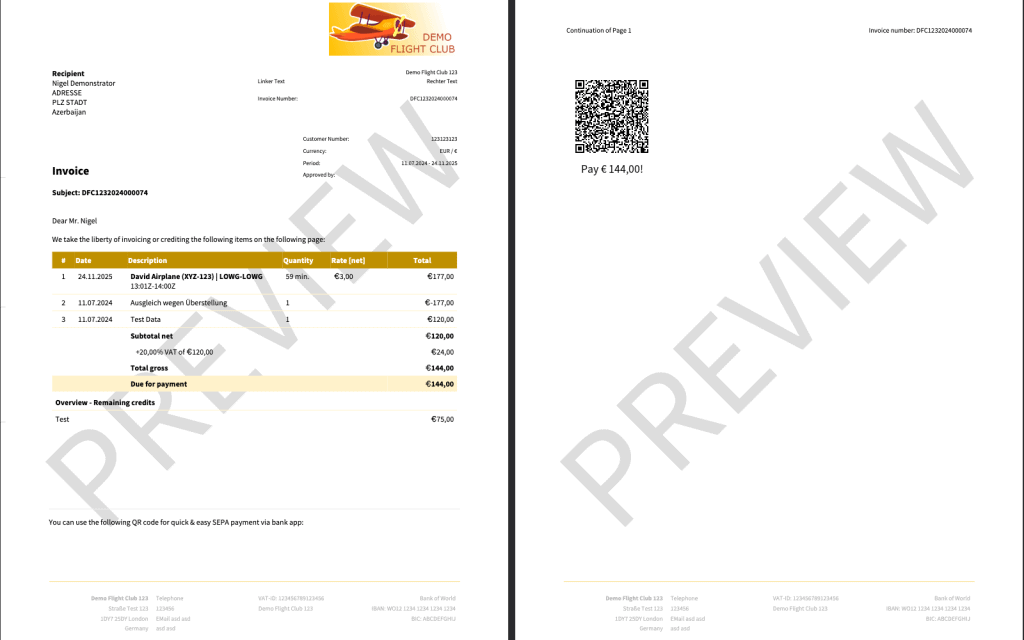
With invoicing, every student gets their invoice straight from the logbook, with their per-minute rate. You set up the instructor fee or your own landing fees for training flights as an invoice item that only applies to the flight type Training. Prepayments are managed as credits.
- An invoice per student straight from the logbook
- Pilot-specific per-minute rates, also meter-based
- Invoice items per flight type, such as the instructor fee (from Advanced)
- Credits for prepayments
- Bill flights to another payer (from Advanced)
Plans
Which plan fits your flight school?
Three Premium plans, depending on the number of your aircraft, instructors and students. Add invoicing as needed, and the training module follows in 2027. Try Premium and invoicing free for 30 days.
Premium
Bronze
All Premium features for up to 25 users and 3 aircraft.
€10 / month or €110 / year · save €10
Premium
Silver
All Premium features for up to 50 users and 5 aircraft.
€15 / month or €165 / year · save €15
Premium
Gold
All Premium features, unlimited users and aircraft.
€25 / month or €250 / year · save €50
From 2027
Training
Add-on for training: syllabi, digital student files and courses. More about the training module
Price to follow
What’s next
Training records follow in 2027
The training module adds syllabi based on EASA templates, the digital student file with an assessment of every exercise, courses and dedicated roles for students, instructors and examiners. Instructor availability planning is also in development. More about the training module
How much does apron:pilot cost for a flight school?
Depending on the number of your aircraft, instructors and students, you choose one of three Premium plans. Invoicing is available as an add-on, and from 2027 so is the training module. You will find all prices and differences on the pricing page.
Is apron:pilot suitable for a DTO?
apron:pilot already covers many of a DTO’s processes and its organisation today: bookings with instructors, ratings, logbook and billing of training flights. The training module in 2027 completes this with syllabi, the digital student file and courses.
How are instructors scheduled?
As the second pilot in the booking, together with the flight type Training. apron:pilot checks the ratings of both pilots. Instructor availability planning is in development.
Do students count as users?
Yes. Students and instructors count towards your plan’s users. With Gold there is no upper limit, even for large training organisations.
How do we bill training flights?
With invoicing, the invoice goes from the logbook straight to the student, with their per-minute rate. You set up the instructor fee as a separate invoice item that only applies to the flight type Training (from Advanced).
Can we already document training today?
Training flights are in the logbook with the flight type Training, and ratings and check flights are kept up to date. Syllabi, the assessment of every exercise and the digital student file come with the training module in 2027.
Where is our data stored?
On servers in the EU. Personal data is encrypted, and backups run daily.
Ready to spend less time on admin?
Set up in minutes. Start free, upgrade later.